01
Every word, from every video
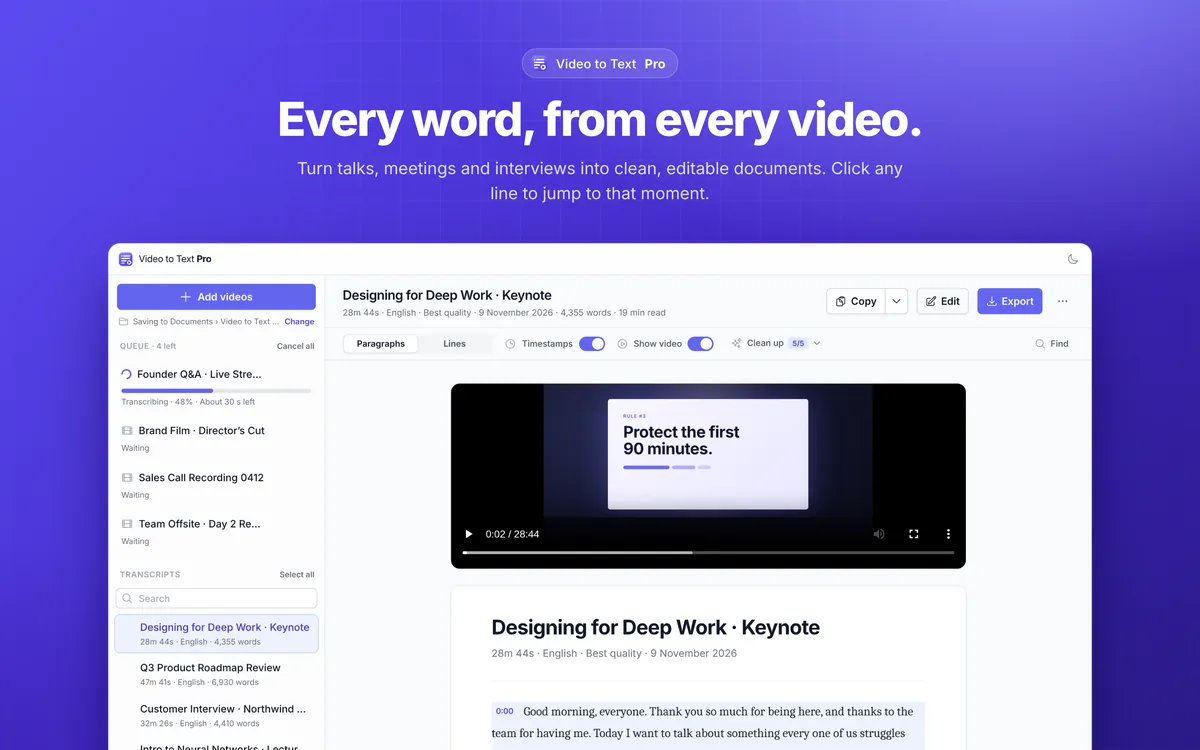
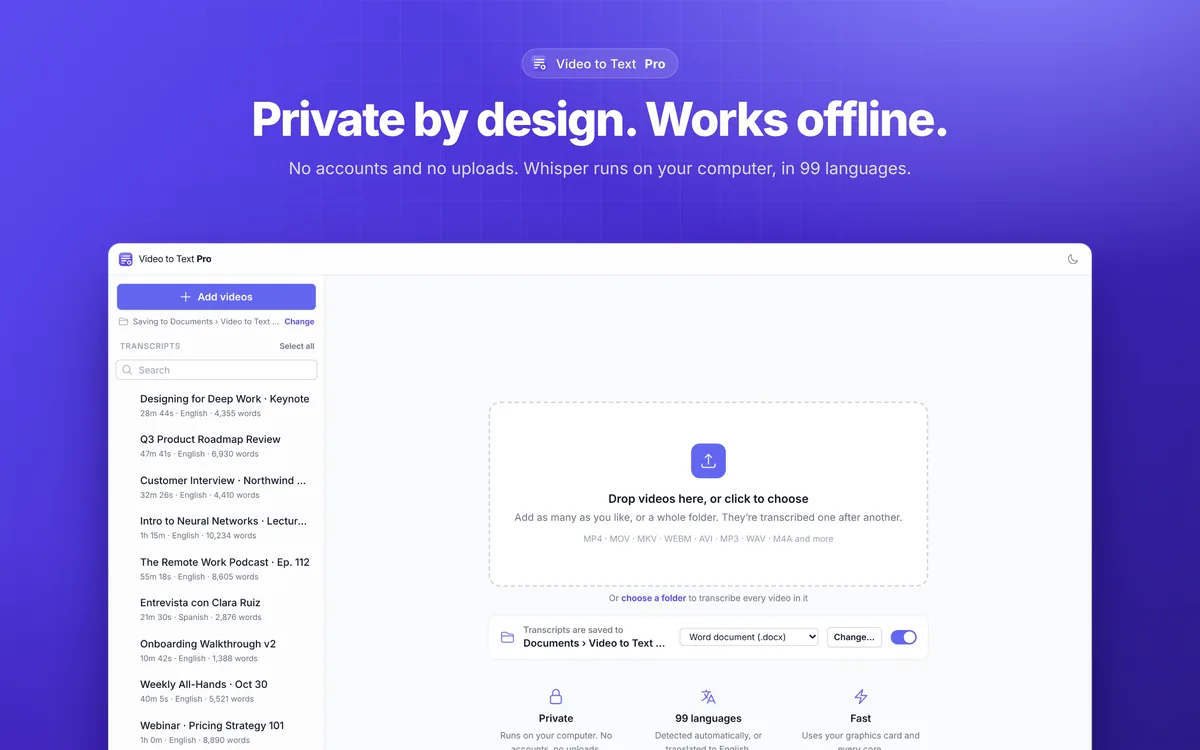
A finished transcript beside the video, with a queue of recordings waiting on the left.
NewVideo · macOS & Windows

Transcribe videos on your computer, offline.
Turn talks, meetings and whole folders of recordings into clean, editable transcripts. The Whisper speech model runs on your own computer, so nothing is uploaded.
3 free videos · then $19.99 once · no subscription
About Video To Text AI
Drop in a talk, a meeting or a whole folder of recordings and Video To Text AI writes down every word, one video after another. The Whisper speech model runs on your own computer and uses its graphics card, so it works offline and nothing is uploaded.
Transcripts open as clean, readable documents: paragraphs or timestamped lines, with filler words, repeats and sound tags cleaned up. Click any line to play the video from that moment, find and replace across the whole transcript, then export to Word, PDF, Markdown, text or subtitles.
See it in action
01
A finished transcript beside the video, with a queue of recordings waiting on the left.
02
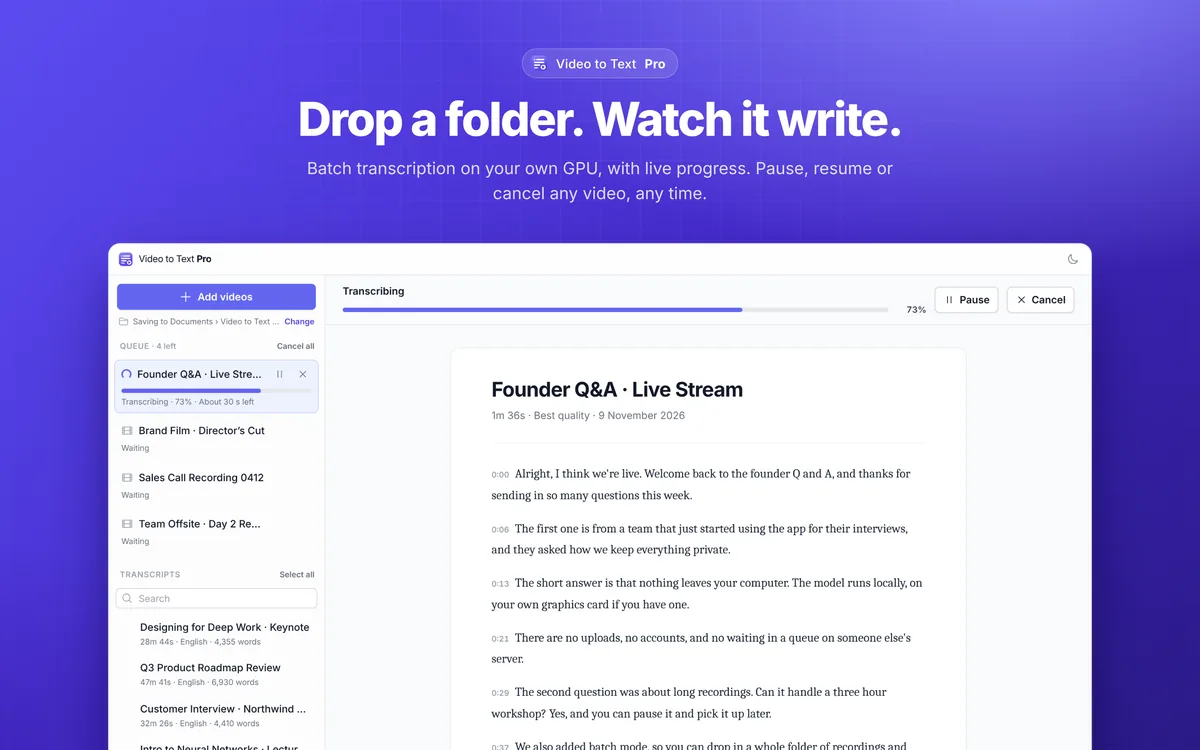
A recording mid-transcription with live progress, pause and cancel.
03
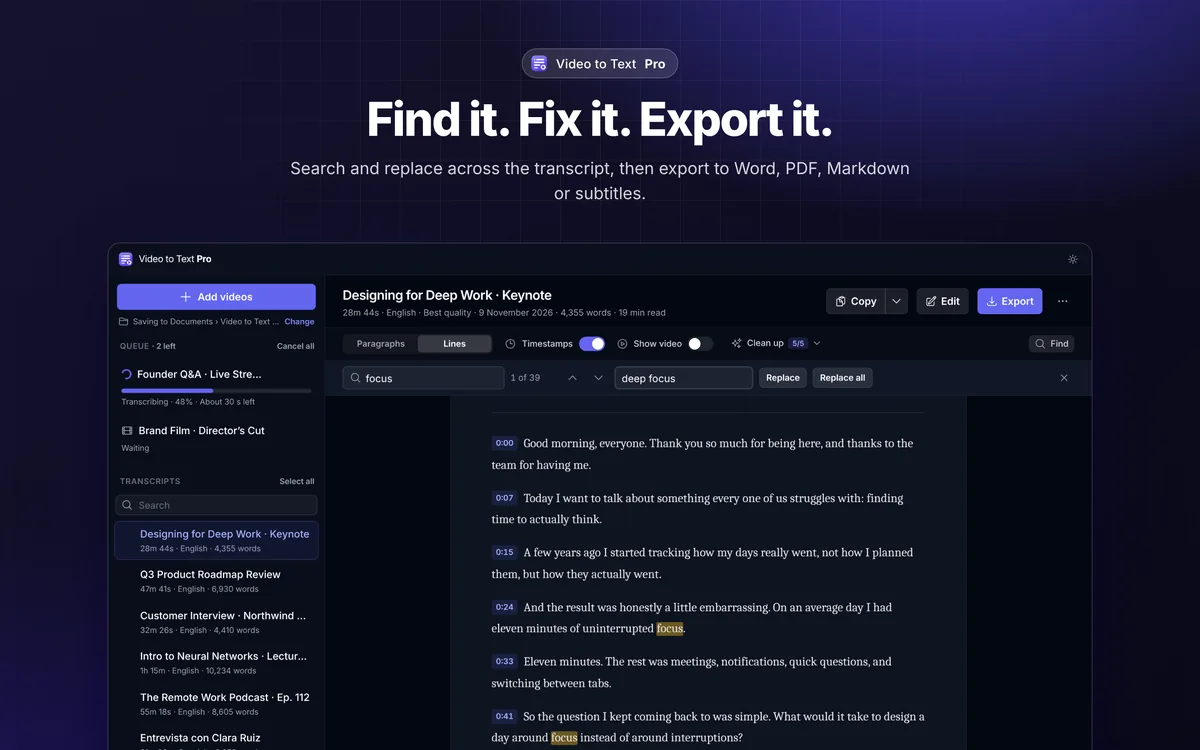
Find and replace across a timestamped transcript, in dark mode.
04
Drop videos or a folder to start. Transcripts save automatically to a folder you choose.
Features
Drop videos or entire folders. Live progress with time left, plus pause, resume and cancel for any video.
Paragraphs or timestamped lines, with filler words, repeated words and sound tags removed.
Click any line to play the video from that moment, and edit any line in place.
Fix a name or a term across the whole transcript at once.
Word (.docx), PDF, Markdown and plain text, subtitles in SRT and WebVTT, or copy in one click.
Runs on your computer and its graphics card, offline. 99 languages, with optional translation to English.
Pricing
No plans to compare and nothing renewing in the background.
$0for 3 videos
The complete app, with nothing held back, so you know it does the job before you pay.
Full version
$19.99one-time unlock
Keep it for good after the trial. One payment, yours to keep, no subscription.
Sold through the Mac App Store, which handles payment and updates
Works on:macOSWindows
FAQ
No. Transcription runs entirely on your computer with the Whisper model, and it works offline. The only download is the optional most-accurate model, which you choose to fetch once.
3 videos or 15 minutes of video, whichever comes first. After that, a one-time $19.99 unlock gives you unlimited transcription. There is no subscription and no account.
99 languages, detected automatically. It can also translate the speech to English as it transcribes.
Yes. Export SRT or WebVTT subtitle files, or Word, PDF, Markdown and plain text documents.

Transcribe videos on your computer, offline.
3 free videos · then $19.99 once · no subscription
 New
 New