Windows 10 & 11 · Audio recorder

Sound Capture Pro

Record anything your PC plays.

Capture the sound coming out of your speakers exactly as you hear it. One click to record, simple trims and fades, then save MP3 up to 320 kbps or lossless WAV.

7-day free trial · then $2.99 once · no subscription

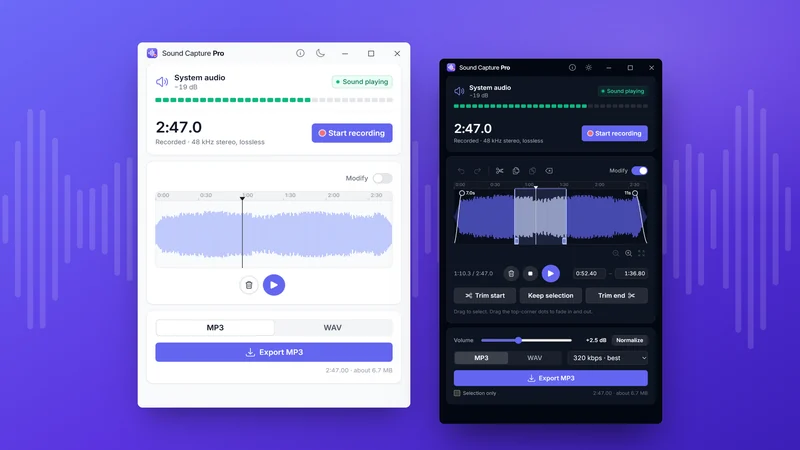
Sound Capture Pro in light and dark mode: recording system audio, and editing a selection on the waveform before exporting MP3.
  • 48 kHz stereoCaptured clean, with no filters
  • MP3 & WAVUp to 320 kbps, or 16/24/32-bit
  • No setupNo virtual cables, no routing
  • 7 days freeThen $2.99 once, no subscription

How it works

Record, tidy up,
export.

Three steps, one window. Most recordings are done and saved inside a minute.

Step one · Record

Press record. That’s it.

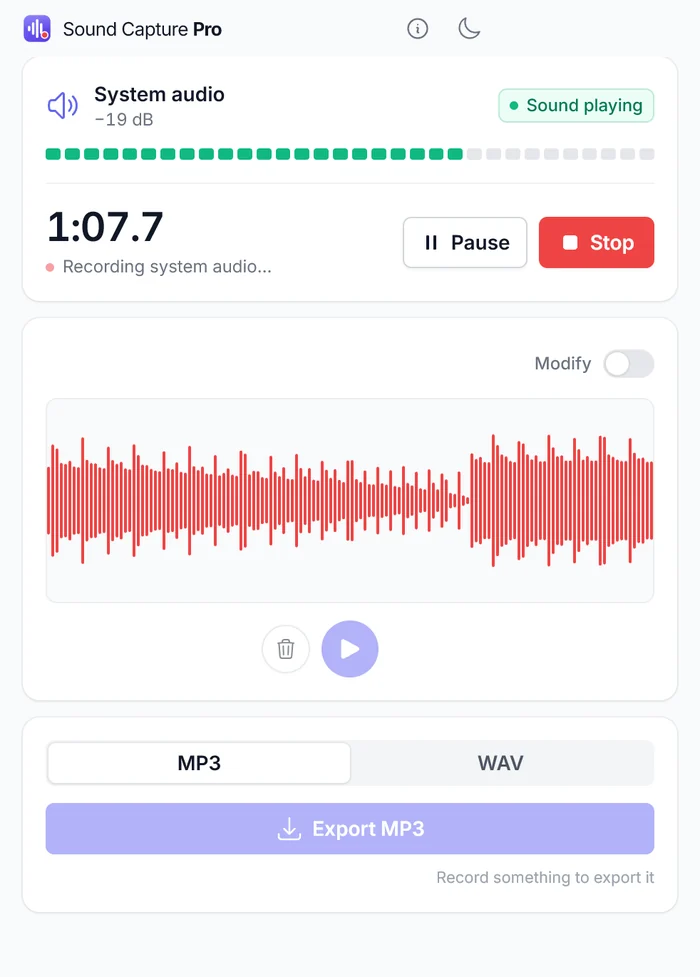
The panel at the top watches your system audio and shows a live level meter, so you know the sound is reaching the app before you start. Hit Start recording and it captures whatever is playing — a track, a video call, a stream, a game — with pause and resume if you need to step away.

  • Live level meter
  • Pause & resume
  • No microphone
Get started for free
Sound Capture Pro mid-recording: the timer reads 1:07.7 under the words ‘Recording system audio…’, with Pause and Stop buttons and a red waveform filling in live.

Step two · Edit

Tidy it up in the same window.

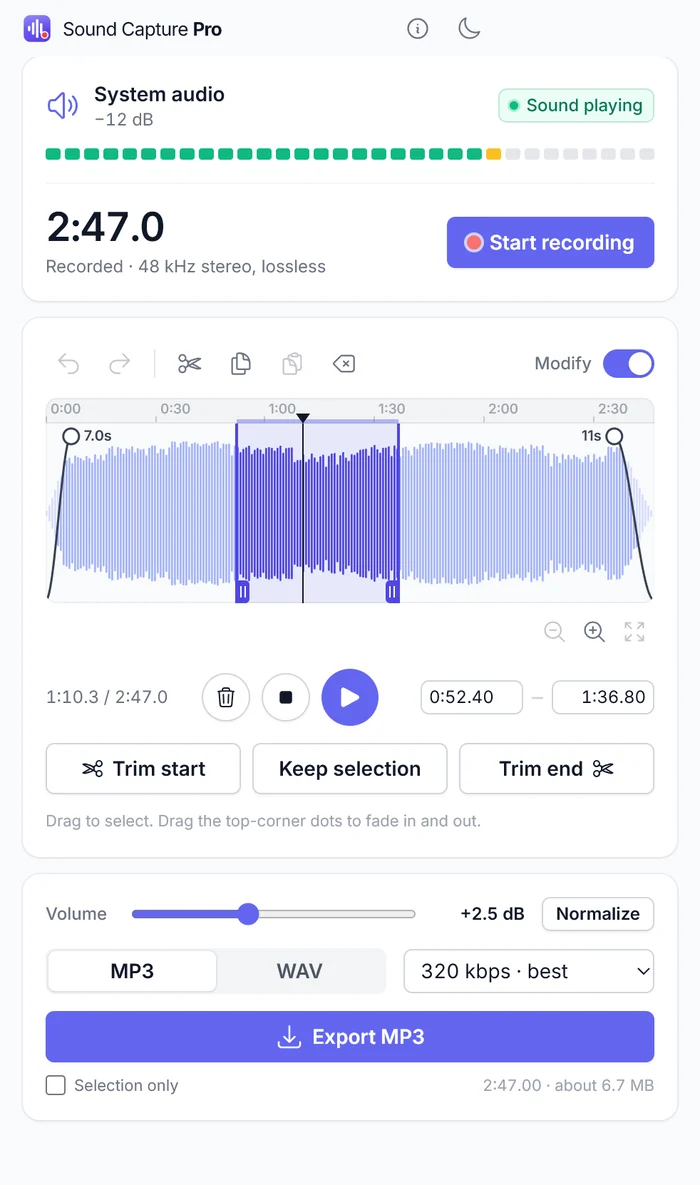
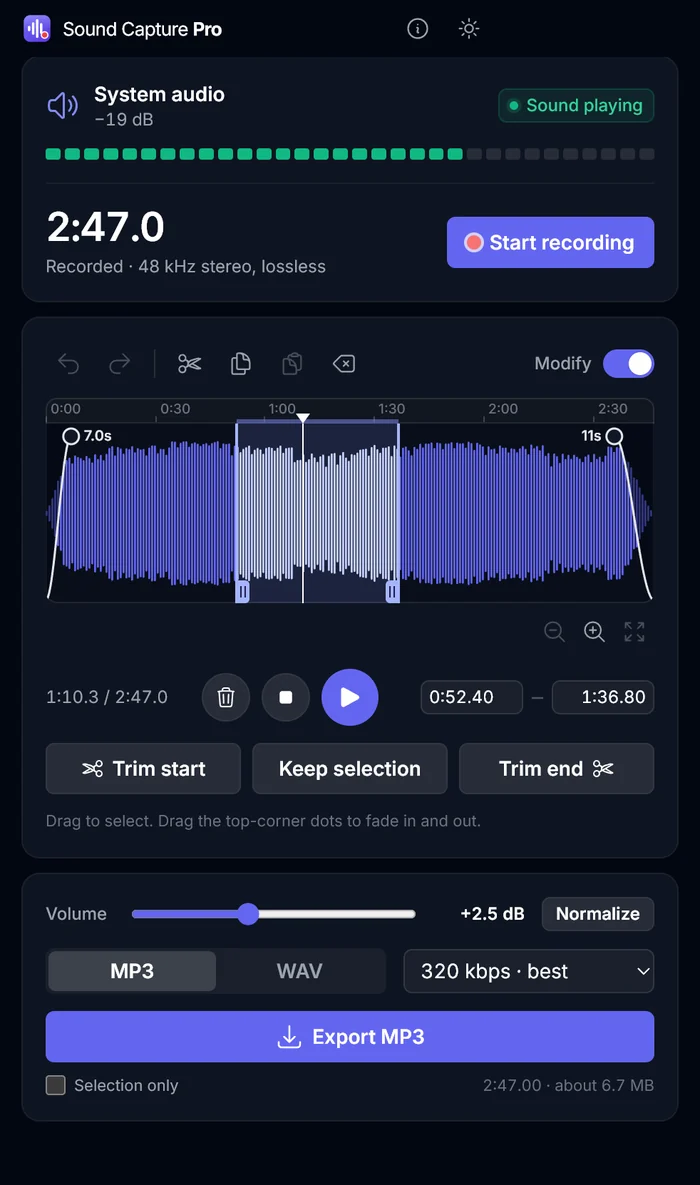
Flip the Modify switch and the waveform becomes an editor. Drag to select, then trim the start or end, keep just the selection, or cut it out entirely. Copy and paste move sections around, the corner dots set fade in and out, and undo and redo cover every step.

  • Trim & cut
  • Copy & paste
  • Fades
  • Undo / redo
Get started for free
The editor with Modify switched on: a waveform with a highlighted selection between 0:52 and 1:36, fade handles marked 7.0s and 11s at each end, and Trim start, Keep selection and Trim end buttons.

Step three · Export

Save it your way.

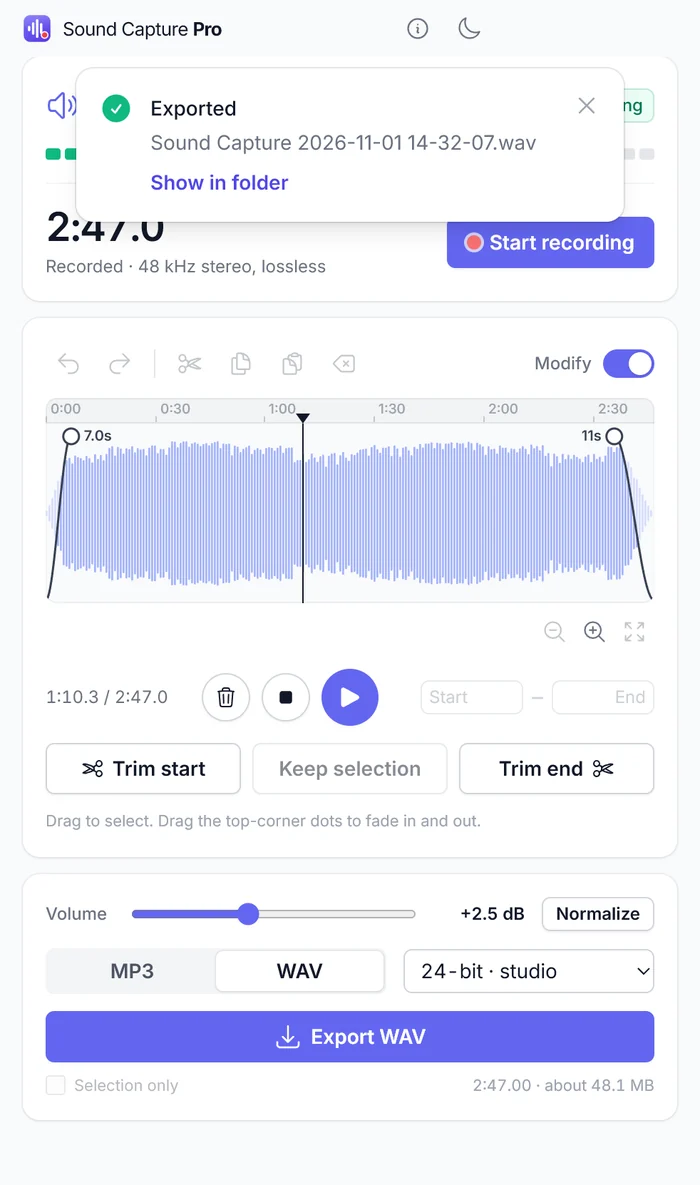
Set the level with the volume slider or let Normalize do it, then pick your format: MP3 from compact up to 320 kbps, or WAV at 16, 24 or 32-bit. The app shows the finished size before you commit, and Selection only exports just the part you highlighted.

  • MP3 to 320 kbps
  • WAV 16/24/32-bit
  • Normalize
  • Selection only
Get started for free
Export panel with WAV selected at 24-bit studio quality, a volume slider set to +2.5 dB beside a Normalize button, and a confirmation reading ‘Exported — Sound Capture 2026-11-01 14-32-07.wav’.

7-day free trial · then $2.99 once · no subscription

All features

A recorder that
gets out of the way.

No virtual cables to install, no routing to configure, no microphone in the loop. Open it, press record, and you have the sound.

  • One click to record

    A live meter tells you sound is actually playing before you commit. Press record, pause and resume as you like, and stop when you're done.

  • Clean 48 kHz stereo

    Captured straight from the system mixer at full quality. Nothing is normalised, compressed or "enhanced" on the way in unless you ask for it.

  • Edit in the same window

    Trim the top and tail, cut a section out, copy and paste, and drag the corner handles for fades in and out. Normalise the level in one click.

  • MP3 or lossless WAV

    MP3 all the way up to 320 kbps when you want a small file, or WAV at 16, 24 or 32-bit when you want every bit of what you recorded.

  • Light and dark

    Both themes are first-class, and the app remembers which one you picked. One toggle in the title bar switches between them.

  • Everything stays on your PC

    No account, no sign-in, no uploads. Audio is processed in memory on your machine and written only where you choose to save it.

Light and dark

Built twice,
so it looks right either way.

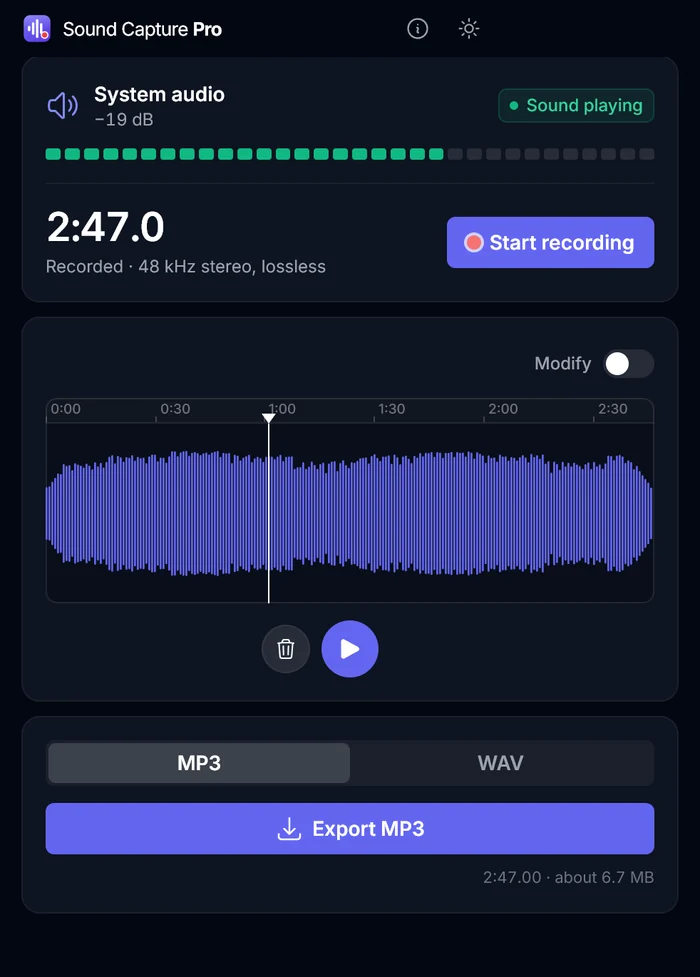
Dark mode isn't an inverted filter bolted on at the end — the whole interface is drawn for it. Switch from the title bar whenever you like; the app opens the way you left it.

Sound Capture Pro in dark mode showing a finished 2:47 recording with its waveform and the MP3 and WAV export buttons.
Recorder
The editor in dark mode with a selection highlighted on the waveform, fade handles at both ends, and the MP3 320 kbps export options below.
Editor

Your recordings never leave your machine

Sound Capture Pro has no account, no sign-in, no analytics and no servers of ours to talk to. It reads your system audio through the standard Windows capture interface, processes it in memory, and writes a file only when you export one — to the folder you pick. We never receive your audio.

Read the full privacy policy

Pricing

Try it free.
Pay once.

No plans to compare and nothing renewing in the background.

Free trial

$0for 7 days

The complete app, with nothing held back, so you know it does the job before you pay.

  • Every feature, for 7 days
  • No subscription to cancel
  • Installs from the Microsoft Store
Get Started for Free

Full version

Sound Capture Pro

$2.99one-time purchase

Keep it for good after the trial. One payment, yours to keep, no subscription.

  • One-click recording of any system sound
  • 48 kHz stereo capture, with no filters applied
  • Trim, cut, fade and normalise built in
  • Export MP3 up to 320 kbps or 16/24/32-bit WAV
Buy Now

Sold through the Microsoft Store, which handles payment and updates

Works on:Windows

Tech specs

Platform
Windows 10 and Windows 11
What it records
System audio — anything your PC sends to its speakers or headphones
Capture quality
48 kHz stereo, unfiltered
Editing
Trim, cut, copy, paste, fade in and out, normalise, undo and redo
MP3 export
Up to 320 kbps
WAV export
16-bit, 24-bit or 32-bit
Appearance
Light and dark mode
Privacy
No account, no uploads, no analytics
Pricing
7-day free trial, then a one-time purchase through the Microsoft Store

FAQ

Have any questions?

Do I need a virtual audio cable or any setup?

No. Sound Capture Pro records system audio through the standard Windows capture interface, so there are no virtual cables to install and no routing to configure. Open it and press record.

Does it record my microphone?

No. It records what your PC plays through its speakers or headphones: a track, a video call, a stream, a game. Your microphone is never part of the recording.

What formats can I save in?

MP3 up to 320 kbps, or WAV at 16, 24 or 32-bit. Selection only exports just the part you highlighted, and the app shows the finished file size before you save.

Is it a subscription?

No. There is a 7-day free trial, then a one-time $2.99 purchase through the Microsoft Store. Updates come through the store at no extra cost.

Are my recordings uploaded anywhere?

No. There is no account, no sign-in and no analytics. Audio is processed in memory on your PC and saved only to the folder you pick.

Sound Capture Pro

Record any sound your PC plays.

7-day free trial · then $2.99 once · no subscription