Profiles
Every account, side by side
Each profile is its own Claude Desktop, with its own sign-in, chats, projects and settings. Open them all, switch with a hotkey, and close any one without touching the others.
Get started for free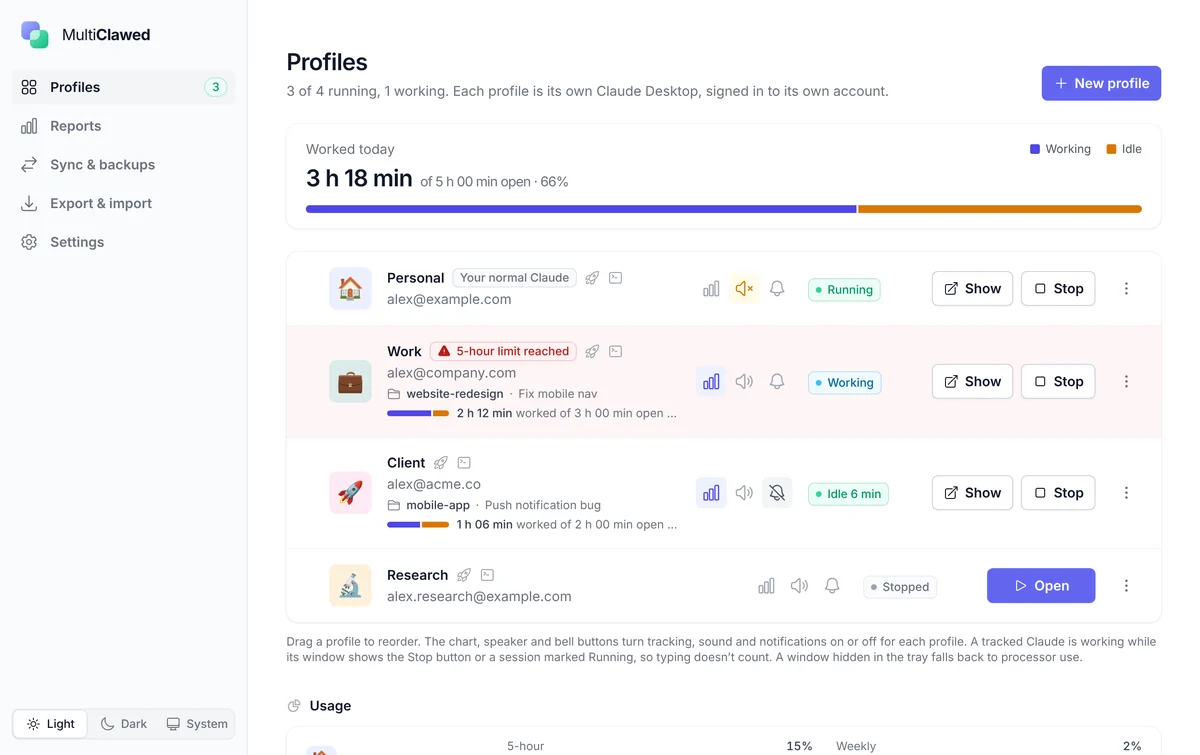
NewWindows 10 & 11 · macOS coming soon

Every Claude account, side by side.
Run multiple Claude Desktop accounts on one PC. Sync their sessions, monitor usage, and keep every chat on your own machine.
7-day free trial · then one payment · no subscription
Features
Claude Desktop signs in to one account at a time. MultiClawed gives each of yours its own window — then tells you what they are all doing.
Profiles
Each profile is its own Claude Desktop, with its own sign-in, chats, projects and settings. Open them all, switch with a hotkey, and close any one without touching the others.
Get started for free
Usage limits
Each account’s 5-hour and weekly figures, with the time they reset. An account that runs out turns red, so you know which one to pick up next instead of being stopped mid-task.
Get started for free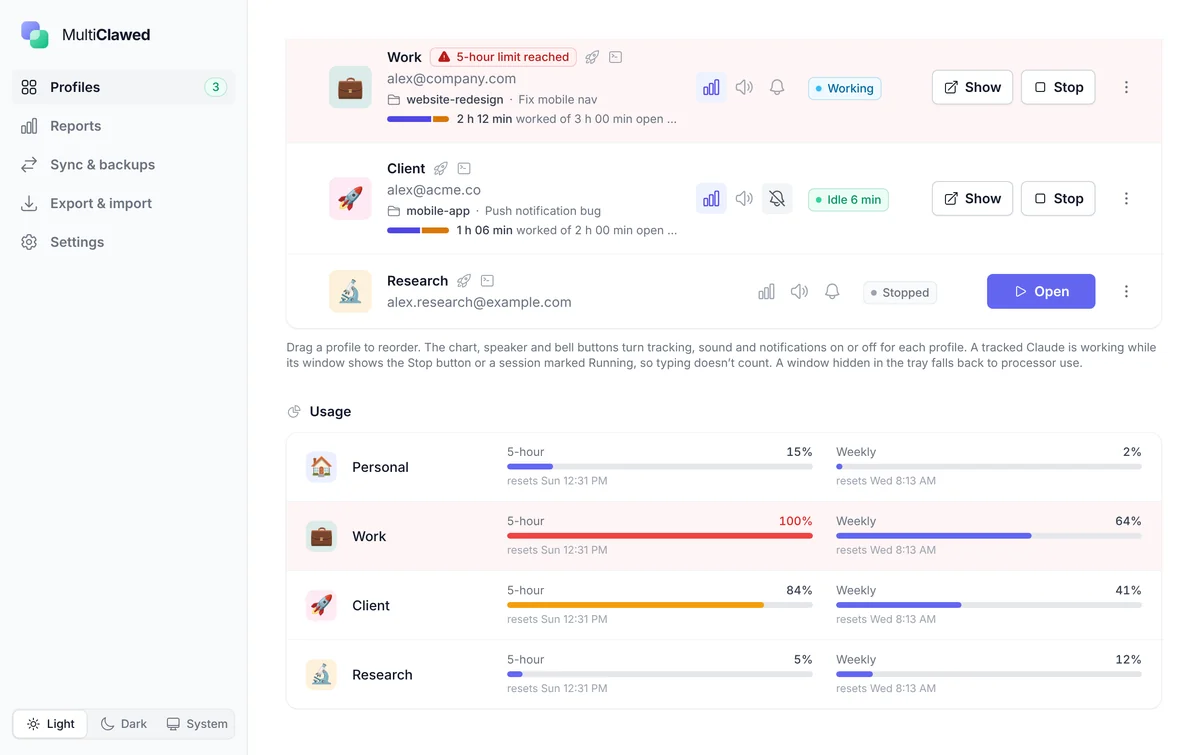
Reports
Working time per account, broken down by the project folder and chat each Claude had open. Click a project to see its chats. Kept for 120 days, and clearable whenever you like.
Get started for free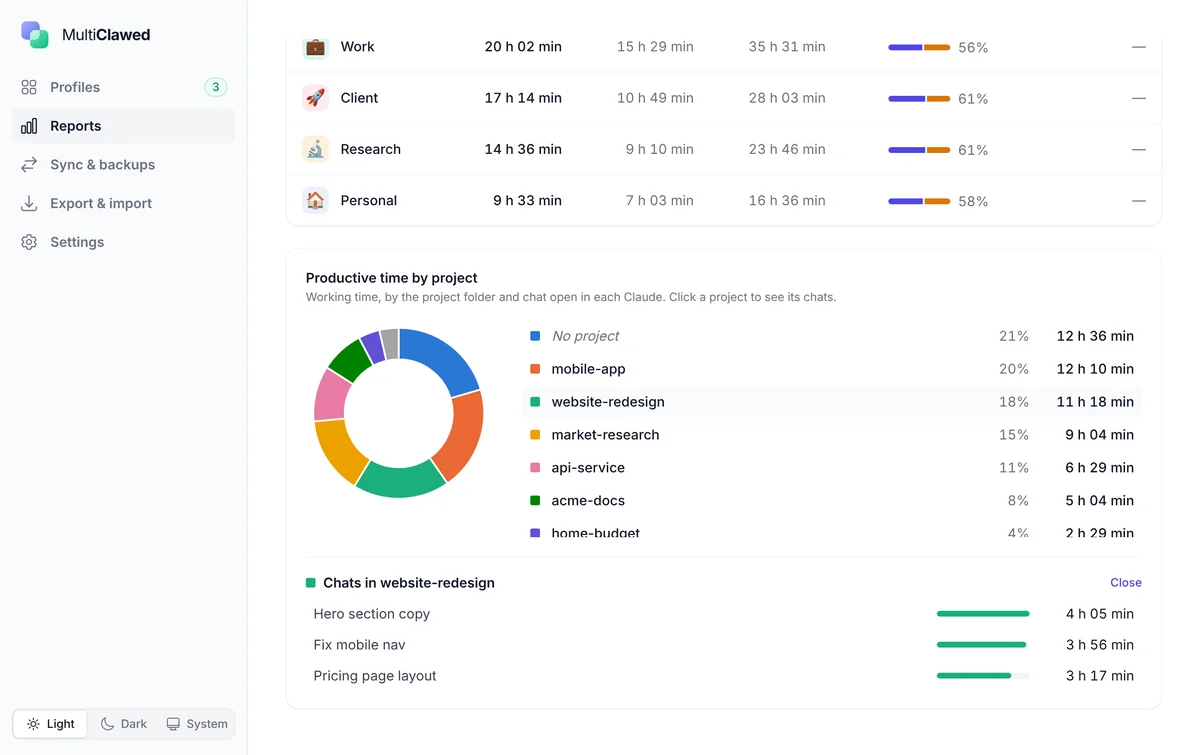
Sync & backups
Claude Desktop files Claude Code and Cowork chats per account. Sync copies all of them into every profile, taking a backup first — files are only added or replaced by a newer copy, never deleted.
Get started for free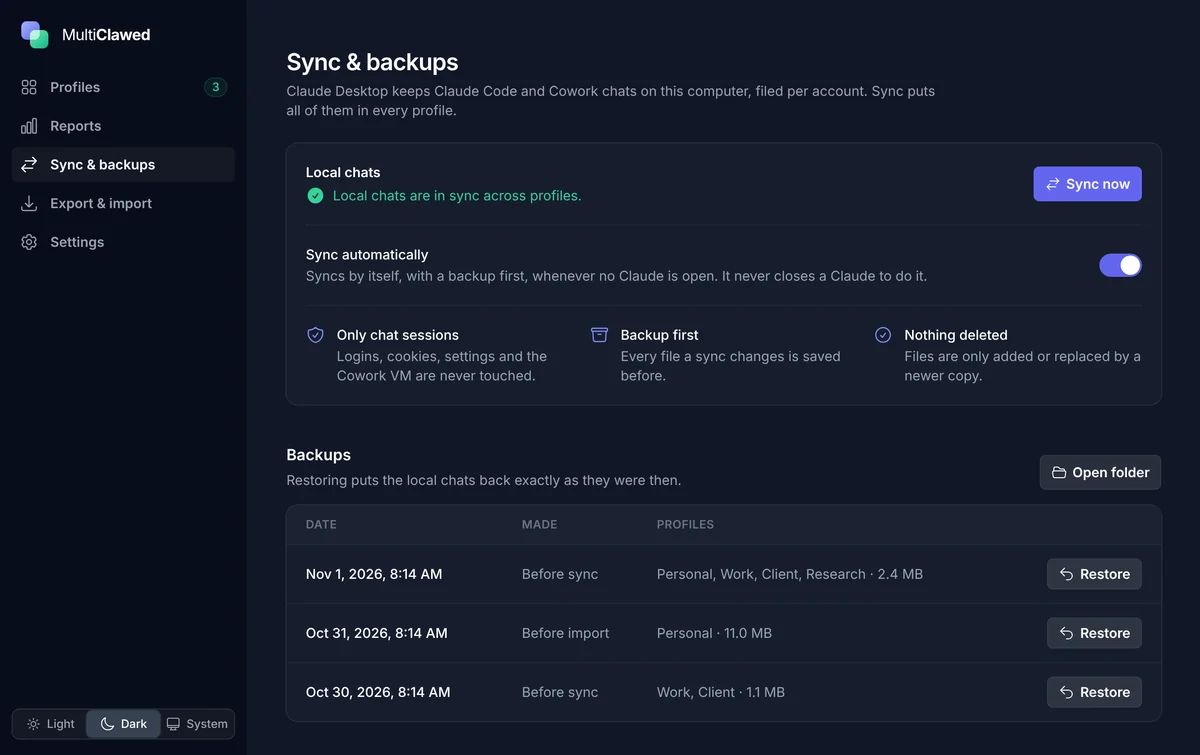
Export & import
Profiles, local chats, reports, MCP servers and settings in a single file. Choose profile by profile what to merge and what to add as new. Logins stay behind, so you sign in once on the new machine.
Get started for free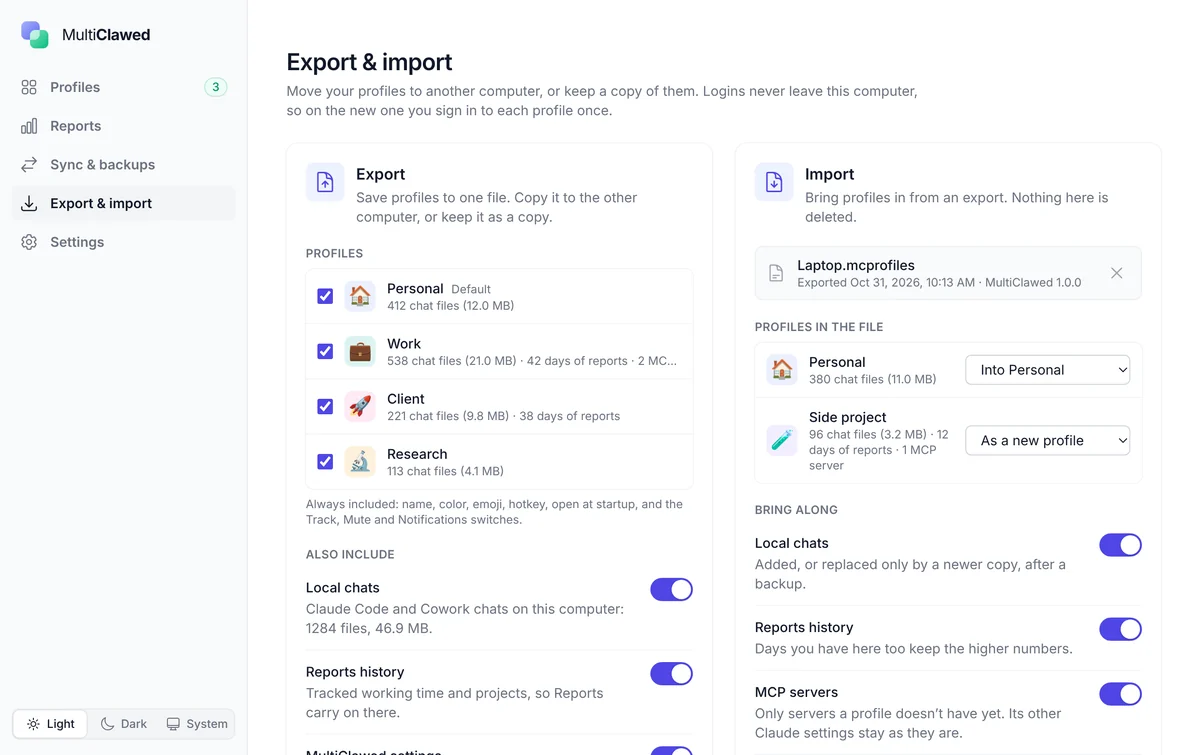
7-day free trial · then one payment · no subscription
How it works
MultiClawed doesn't replace Claude Desktop — it runs several copies of the one you already have, each pointed at its own profile folder.
The setup wizard finds your Claude Desktop install and asks how many profiles you want. Give each one a name, a colour, an emoji and a hotkey — Personal, Work, Client, whatever fits.
Press Open and that profile launches its own Claude Desktop window. Sign in with the account you want it to hold. From then on it keeps that login, its chats, its projects and its settings, separately from every other profile.
Switch tracking on for the profiles you want to watch, connect usage limits to see how much room each account has left, and let sync keep your local Claude Code and Cowork sessions the same in all of them.
Privacy
MultiClawed has no account of its own, no analytics, no ads and no servers of ours. There is nothing for us to receive, because nothing is ever sent.
Not to us, not to anyone. Your chats live where Claude Desktop already puts them, on your own disk. MultiClawed never reads what they say — the most it ever looks at is whether a window is showing its Stop button, so it can tell you that Claude is still working.
100% local
Export your profiles to a single file and import it on another computer — with the complete context intact: local chats, reports history, MCP servers and every setting. Logins never travel, so you sign in once on the new machine and carry on exactly where you were.
One file, any PC
Tracking is off until you switch it on. Usage limits only talk to claude.ai, with a sign-in that is stored on your computer and deleted the moment you disconnect. Every sync, restore and import takes a backup first, and nothing is ever deleted.
Read the full privacy policyPricing
No plans to compare and nothing renewing in the background.
$0for 7 days
The complete app, with nothing held back, so you know it does the job before you pay.
Full version
Pay onceone-time purchase, price shown at checkout
Keep it for good after the trial. One payment, yours to keep, no subscription.
Sold through the Microsoft Store, which handles payment and updates
Works on:WindowsmacOS, coming soon
FAQ
No. MultiClawed is made by OGStudio and is not affiliated with or endorsed by Anthropic. Claude is a trademark of Anthropic, PBC.
Claude Desktop, which is free from Anthropic, and a Claude account for each profile you want to run. Free Claude accounts work. MultiClawed itself needs no account of its own.
No. Tracking is off until you turn it on for a profile, and when it is on the app only checks whether that Claude window is showing its Stop button, using the operating system's accessibility features. It sees the names of buttons, never what your chats say. With chat titles switched on it also keeps the title of the open chat and its project folder name, so Reports can break the time down — and you can clear all of it from Reports at any time.
No. A backup is taken before any sync, restore or import, and files are only added or replaced by a newer copy. Logins, cookies, settings and the Cowork VM are never touched, and you can restore a backup whenever you like.
Yes. Export profiles, local chats, reports, MCP servers and settings to a single file and import it on the other computer, choosing profile by profile what to merge and what to add as new. Logins never leave the original machine, so you sign in once on the new one. Keep the export file private — it can contain MCP server settings with API keys you entered.
No. There's a 7-day free trial, and after that it's a single payment through the store you installed it from. Updates come through the store too.

Every Claude account, side by side.
7-day free trial · then one payment · no subscription